Complete inventory
Catalog every wine and spirit with producer, type, vintage, age statement, proof, quantity, rating, and photos in a single record.
Wine and spirits inventory
Cellar Pro is a premium collection manager for people who take their wine and spirits seriously. Track what you have, where each bottle sits, what it is worth, and exactly when it is ready to open.
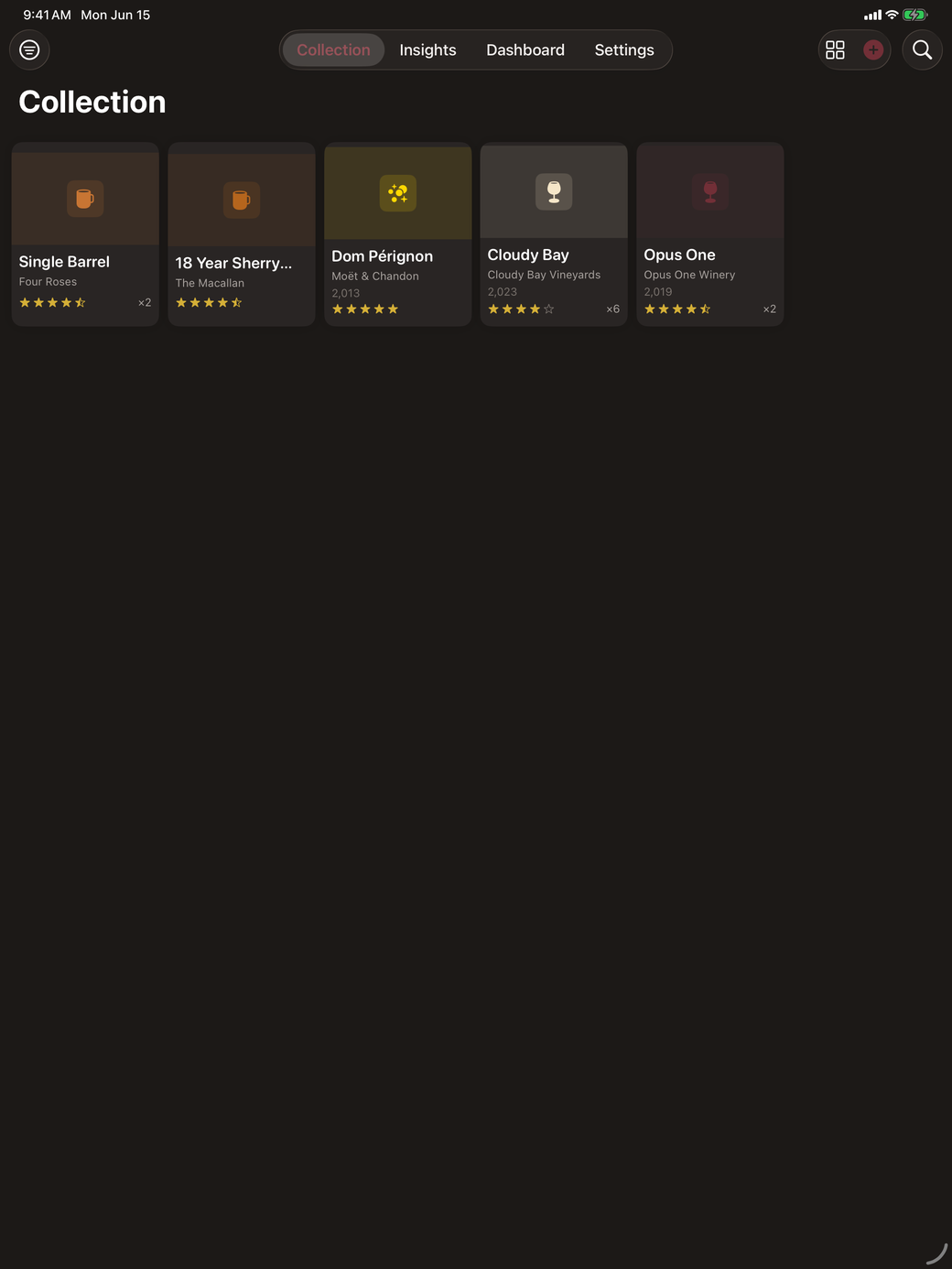
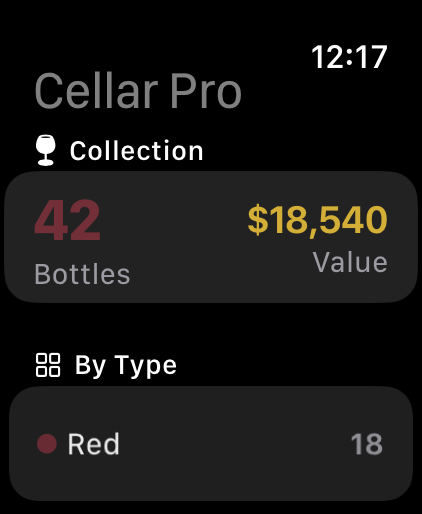
What it does
Cellar Pro connects bottle records to the questions collectors actually ask when they buy, store, audit, and open bottles.
Catalog every wine and spirit with producer, type, vintage, age statement, proof, quantity, rating, and photos in a single record.
Capture a label with on-device text recognition or scan a barcode. Only the barcode number is sent to Open Food Facts.
Track the window for every bottle and get reminders so you open wines and spirits while they are at their best.
Record ratings, tasting notes, and food pairings so every bottle carries the context you want to remember.
Track bottle values and see collection analytics that reveal balance, worth, and how your cellar is trending.
Map locations with rows, columns, and bins so your digital records match the physical layout of your cellar.
Find missing photos, values, and locations, plus duplicates and drinking-window issues, then fix them in one place.
Export your full collection to PDF and CSV for insurance records, spreadsheet review, and audits.
Check the essentials from Home Screen and Lock Screen widgets, Apple Watch views, and Siri Shortcuts powered by App Intents.
Start a decanting timer and follow it on the Lock Screen with Live Activities, then sync everything through iCloud.
How it works
The app is built around repeated maintenance: add bottles quickly, keep records complete, decide what to open, and export when the collection needs review.
Scan a label on device, look up a barcode through Open Food Facts, or enter a bottle by hand when it needs precise treatment.
Track drinking windows, ratings, tasting notes, and reminders so your collection supports real decisions, not just storage.
Attach bottles to locations, rows, columns, and bins so your records always match the physical cellar.
Run the health workbench to clean up records, then export PDF and CSV for insurance and reconciliation.
A closer look
Every screen connects a bottle record to a question worth answering, from what to open tonight to what your cellar is worth.
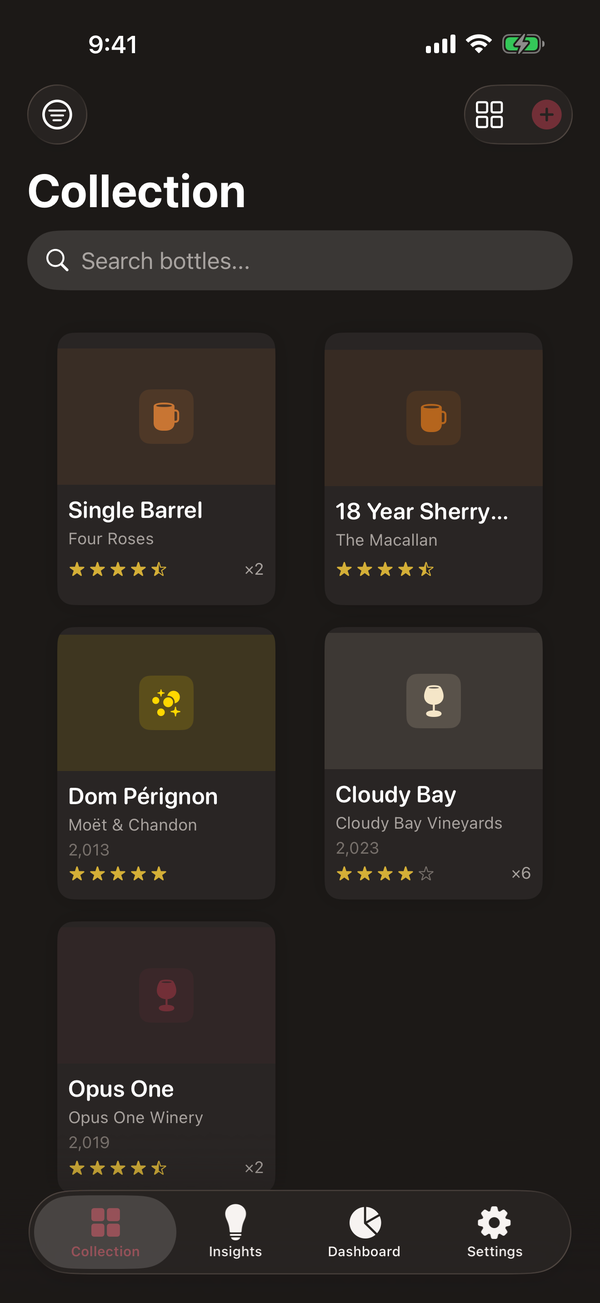
Browse every bottle with producer, type, vintage, rating, quantity, value, and storage location in one view.
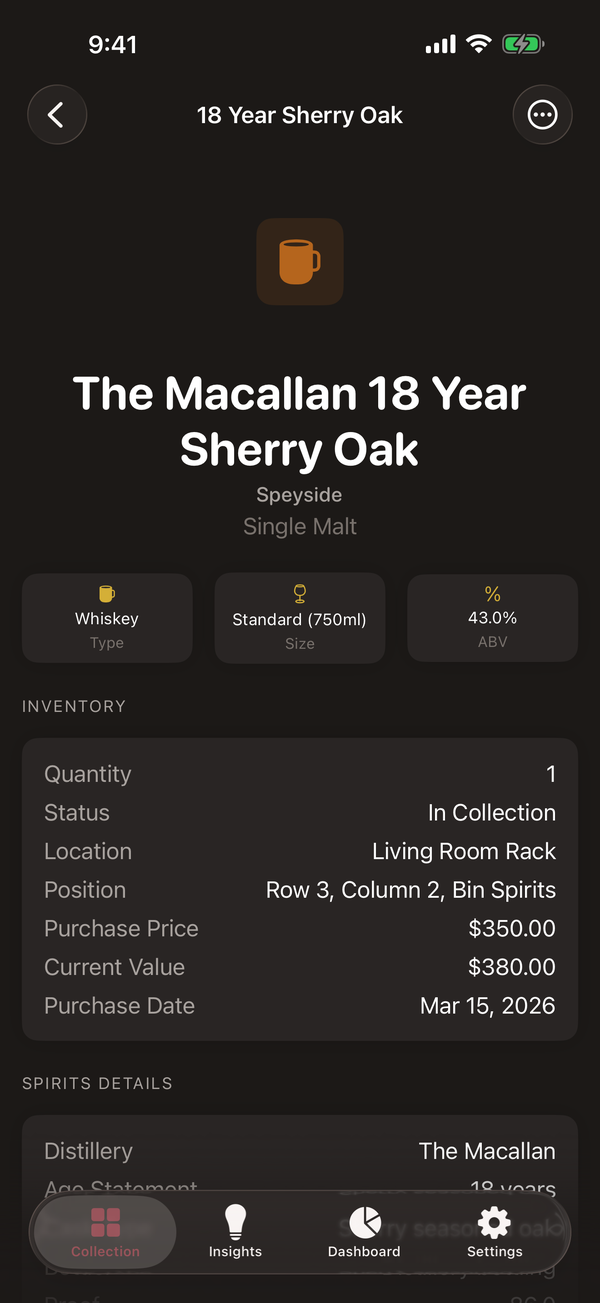
Age statement, proof, cask, fill level, value, drinking window, and tasting notes are all first-class fields.
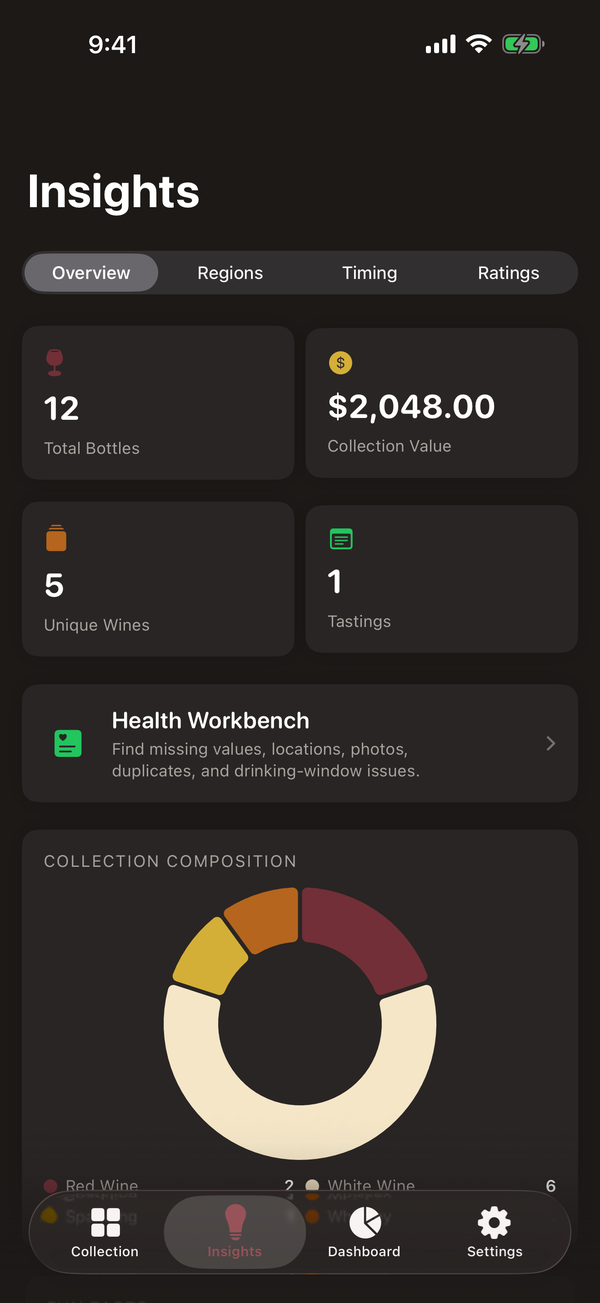
Collection health highlights missing photos, values, and locations, plus duplicates and drinking-window issues.
Across your Apple devices
The same collection model powers iPhone, iPad, and a companion Apple Watch app, along with widgets, App Intents, and optional iCloud sync through your Apple ID.
Pricing
Cellar Pro is a paid app with no free tier. Monthly and Yearly each include a one-week introductory free trial for eligible Apple IDs. Lifetime is a one-time purchase with no trial.
$4.99 / month
Flexible access for collectors who want to evaluate the full app month by month.
Includes a one-week introductory free trial for eligible Apple IDs.
$29.99 / year
Annual access for collectors who maintain an ongoing cellar record all year.
Includes a one-week introductory free trial for eligible Apple IDs.
$49.99 once
Permanent access with a single non-consumable App Store purchase.
No trial. Restorable on any device signed in to your Apple ID.
Prices are managed by the App Store and may vary by region. Subscriptions renew automatically unless cancelled in your Apple account settings at least 24 hours before the end of the current period. The Terms of Use and Privacy Policy are available before purchase.
Private by design
Collection records live on your device and can sync through your own private iCloud account. Label scanning uses on-device text recognition. Barcode lookup sends only the barcode number to Open Food Facts. There is no third-party tracking.
Get Cellar Pro
Cellar Pro is coming soon to the App Store for iPhone, iPad, and Apple Watch. Choose monthly, yearly, or a one-time lifetime purchase when it launches.